

For testing and simulating errors during placing of the order, refer to the
playground reference section.
Email delivery of links for orders is disabled in the playground environment by
defaultEvery order via API will always return a link in the
payout.url field
that you can use to access the redemption journey. See the playground
reference for more information.Testing the redemption journey
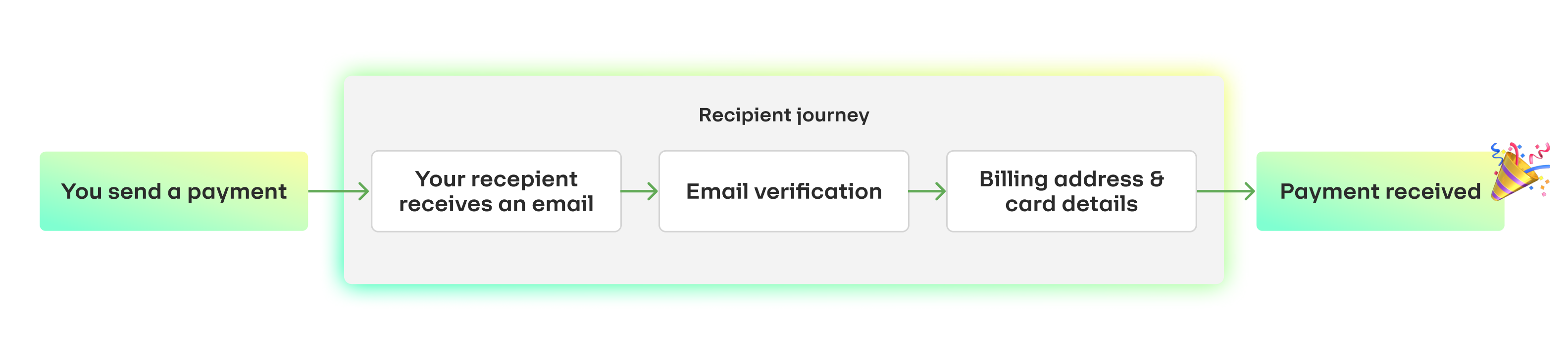
After placing the order, you can access the redemption journey by following the link in thepayout.url field of the API response.
Email verification
Playground supports email verification via one time code, just like our live environment. You can test both successful and error cases by trying scenarios such as:- Correct email and code.
- Incorrect code.
Billing address and card details
There is no billing address validation in the Playground environment, so you can use any dummy address. The playground environment only works with a specific set of cards. Use the following cards to trigger different scenarios.-
Valid card details
Use the following details to trigger a success response:
Card Number:
4111 1111 1111 1111CVV, Expiry Date, and Cardholder name: any values -
Card details for validation error
Any incorrect card should immediately trigger an error (example below):
Card Number:
4111 1111 1111 1112CVV, Expiry Date, and Cardholder name: any values
The returning recipient case
A returning recipient will already have their card and other details saved. To simulate a returning recipient experience in the Playground environment, append+repeat to the username part of your email address.
For example, if your email is user@example.com, use user+repeat@example.com.
You will still receive the one-time code in your usual inbox.