> ## Documentation Index
> Fetch the complete documentation index at: https://developer.runa.io/llms.txt
> Use this file to discover all available pages before exploring further.
# Moving to production
> Before going live, your account must pass compliance checks and be funded, here's what to expect
## Business verification
To enable live transactions and access production balances, your account must complete KYB (Know Your Business) and EDD (Enhanced Due Diligence) checks. This process verifies your business and its key stakeholders.
These steps are legally required and typically involve providing business registration details and ID checks for key individuals. Runa will send you the necessary onboarding documentation for both processes.
## Funding your account
API orders are paid for from your Runa account balance. Before placing production orders, your balance must be funded. Check the [currencies reference page](/reference/currencies) for the list of supported currencies.
### Topping up your Account Balance
Once you have accepted the terms and conditions, you can top up your account balance using either a **bank transfer** or a **card payment**.
We recommend using a bank transfer to top up your account balance. This is
free of charge.
Card top-ups may be faster than a bank transfer but are subject to
associated fees. These will be clearly indicated during the top-up process.
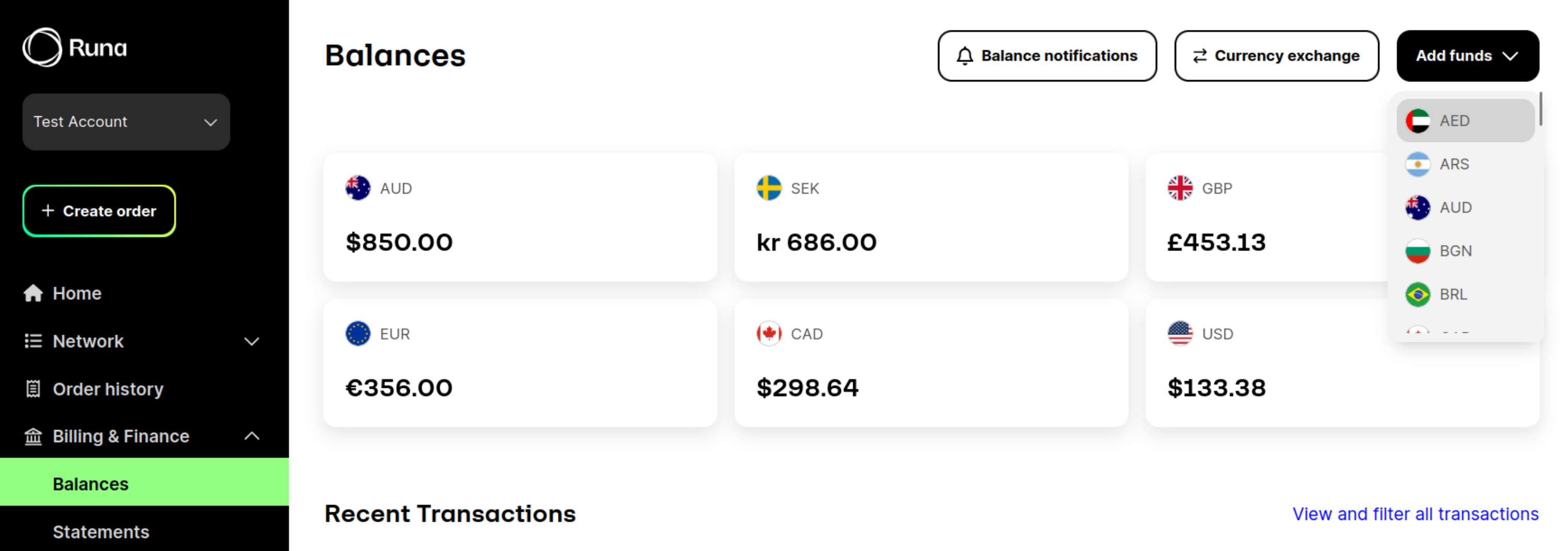
To top up your account balance, sign into app.runa.io and navigate to the [Billing & Finance › Balances](https://app.runa.io/billing) page. Click **Add Funds** and follow the instructions.
 ## Run through the production checklist
Before you complete your integration you should read through the ['Before you go live'](/best-practices/before-you-go-live) section. This will run through important steps and practices to ensure your integration is reliable and secure.
Read through the best practices to ensure your integration is ready to go
live.
## Run through the production checklist
Before you complete your integration you should read through the ['Before you go live'](/best-practices/before-you-go-live) section. This will run through important steps and practices to ensure your integration is reliable and secure.
Read through the best practices to ensure your integration is ready to go
live.